

Add a new service
Use the following steps to add a new service:- Open the Ranger Admin UI. It should default to the Resource Policies sidebar option. This is also the Service Manager.
- Click the plus sign to add a service. Select a service type, such as Trino or Hive.
- Provide a service name and connection details such as URLs or credentials.
- Test the connection to ensure Ranger can communicate with the service.
- Save the service configuration.
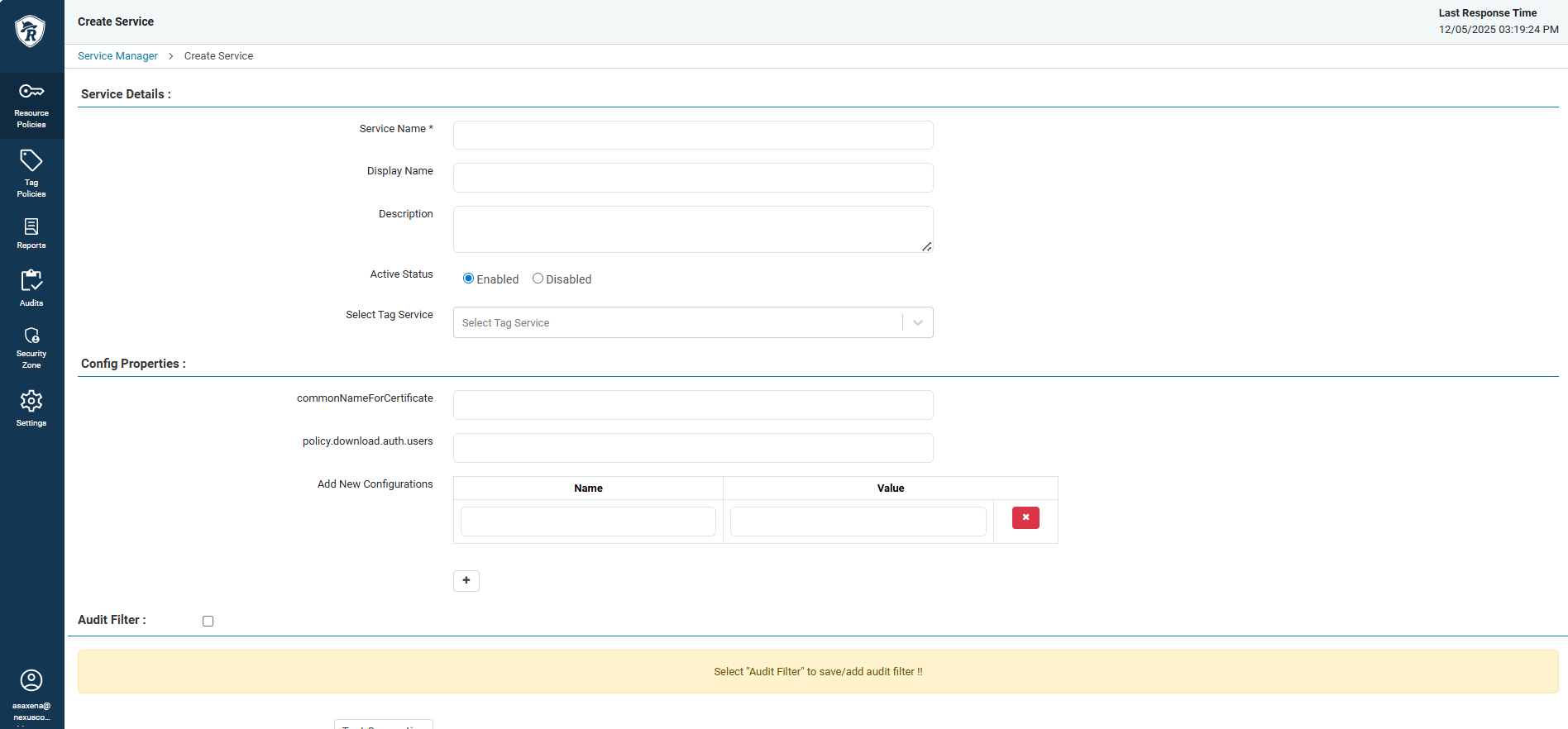
Add a new service
Create a policy
Use the following steps to create a policy:- Open the Ranger Admin UI. It should default to the Resource Policies sidebar option. This is also the Service Manager.
- Select the service that you want to create a policy for.
- At the top right-corner of the page, click Add New Policy.
- Specify a policy name.
- Define a resource scope, such as which databases, tables, or columns.
- Add users or groups who should receive access.
- Select permissions such as
SELECT,INSERT, orUPDATE. - Optionally, add policy conditions.
- Click Save at the bottom of the screen to save the policy.
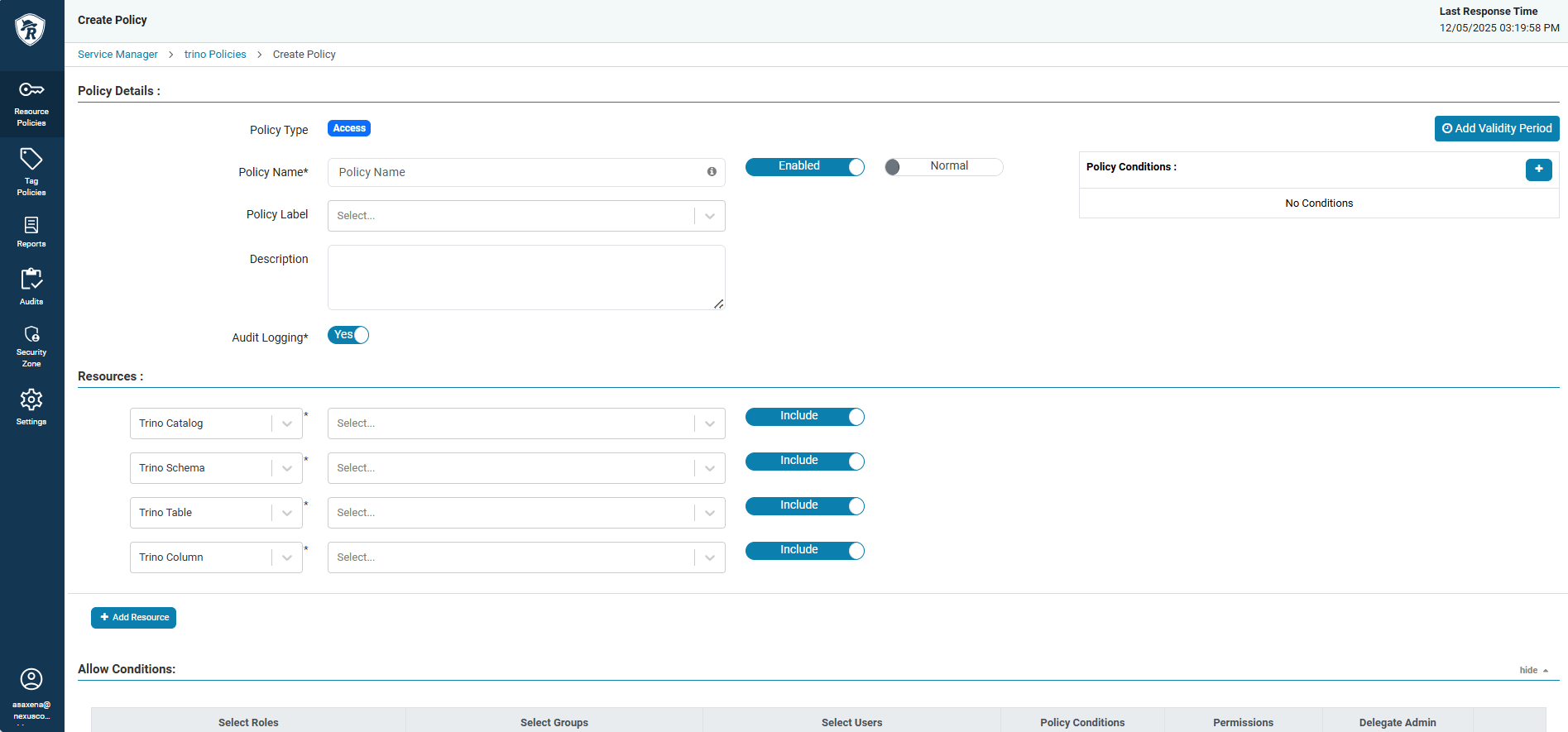
Create a policy
Synchronize users and groups
Use the following steps to synchronize users and groups:- Configure Keycloak connection details in Ranger usersync configuration.
- Specify a base DN, search filters, and sync intervals.
- Start the usersync service.
- In the Ranger Admin UI, click Settings, and verify that the users and groups appear under the Users, Groups, and Roles section.
View audit logs
Use the following steps to view audit logs:- Open the Ranger Admin UI, and then click Audits.
- Select one option, such as Admin or Login Sessions.
- You should see a table showing the logs. You can use filters to narrow the results by user, resource, date range, or access result.
- Export audit data for offline analysis or compliance reporting.
- Create saved searches for frequent audit queries.
Delegate an administrator
Use the following steps to delegate an administrator:- Create a policy granting administrative permissions to specific users.
- Scope the administrator’s permissions.
Additional resources
- To get an overview of Ranger, refer to the Ranger in NexusOne page.
- To learn about best practices when using Ranger, refer to the Ranger best practices page.
- For more details about Ranger, refer to the Ranger official documentation.
- For more details about Spark in NexusOne, refer to Spark in NexusOne page.
- For more details about Trino in NexusOne, refer to Trino in NexusOne page.